
Your own agent
Connect the agent you already use.
Appentic is an MCP server, so Claude Code and other coding agents can build here directly. Run one command and approve it in your browser. Your agent can then create a project, price a machine before buying it, add a database, deploy, and query the logs when something breaks.
$ claude mcp add --transport http appentic
https://mcp.appentic.com/mcp- It asks before it spends
- Your agent checks the price of a plan first. Every machine and service it buys needs your confirmation.
- It tests on the real thing
- Migrations and test runs happen on your project’s own machine, against its own database.
- It can’t read your secrets
- Your agent can set an environment variable. It can never read one back.
Athena
Describe your app. Athena ships it.
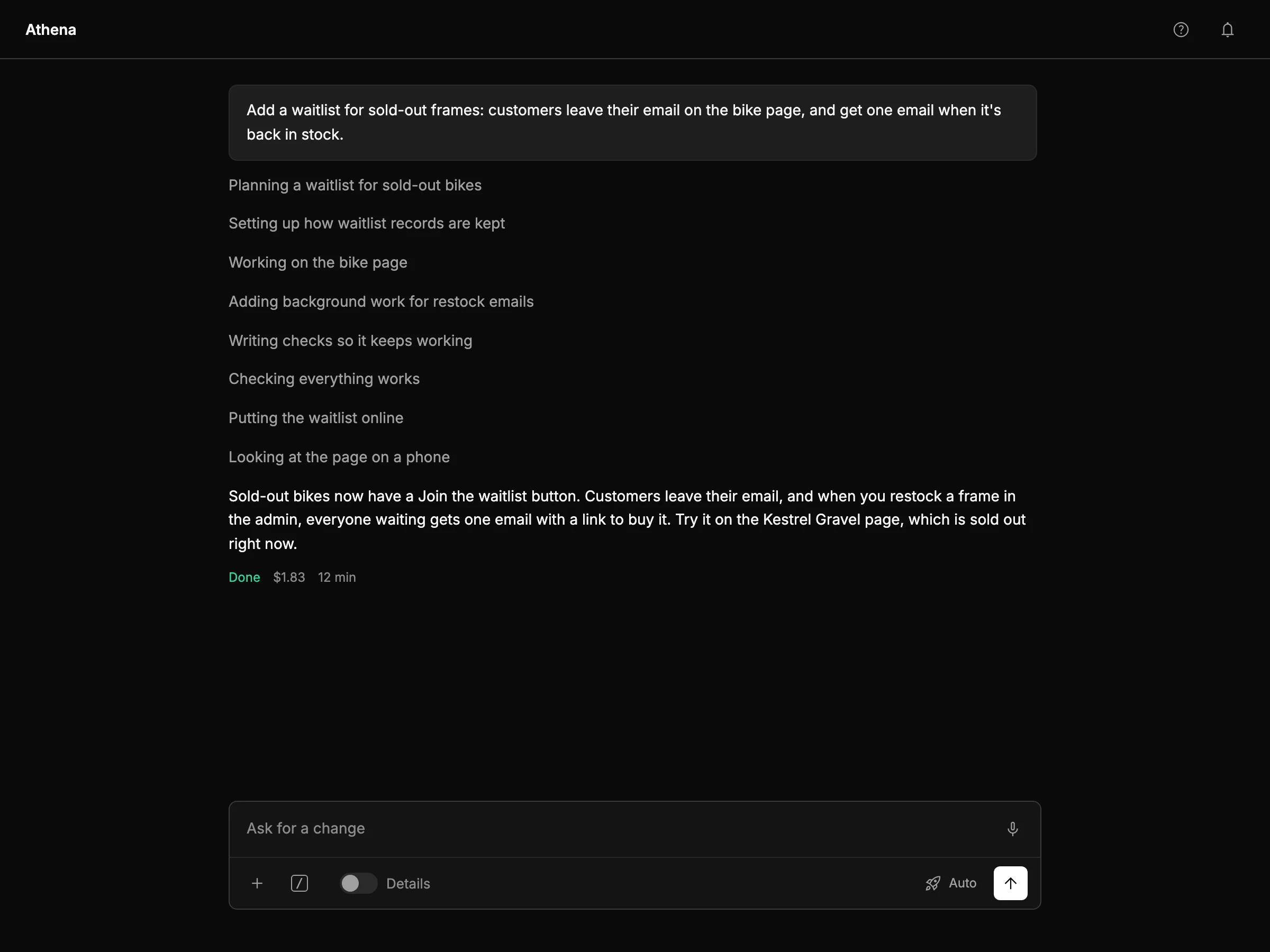
Athena is a coding agent built into every project. Tell it what you need in plain words. It writes the code, sets up the database, runs the tests and deploys. Ask for changes the same way.
- Tested before it ships
- Every change runs its tests on your own machine first. If a deploy fails, Athena reads the logs, fixes the cause and tries again.
- The code is yours
- Download it from the web service’s settings. The zip holds the code and
appentic.json, which describes every service in the project. - On your Claude plan
- Athena runs on your own Claude subscription, so Appentic doesn’t charge for it. You pay for the machine and services it creates.
Squeeze more services onto commodity machines.
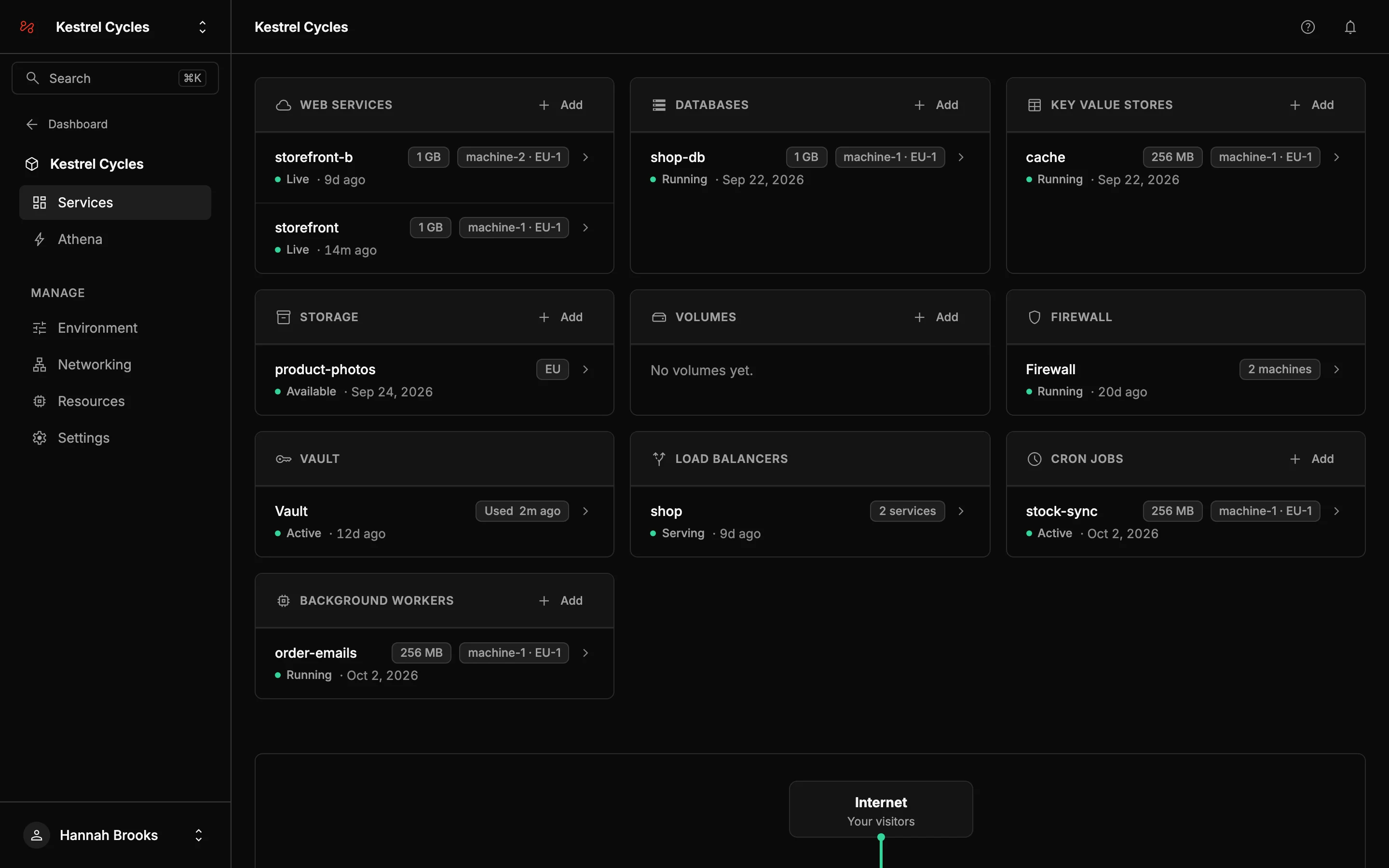
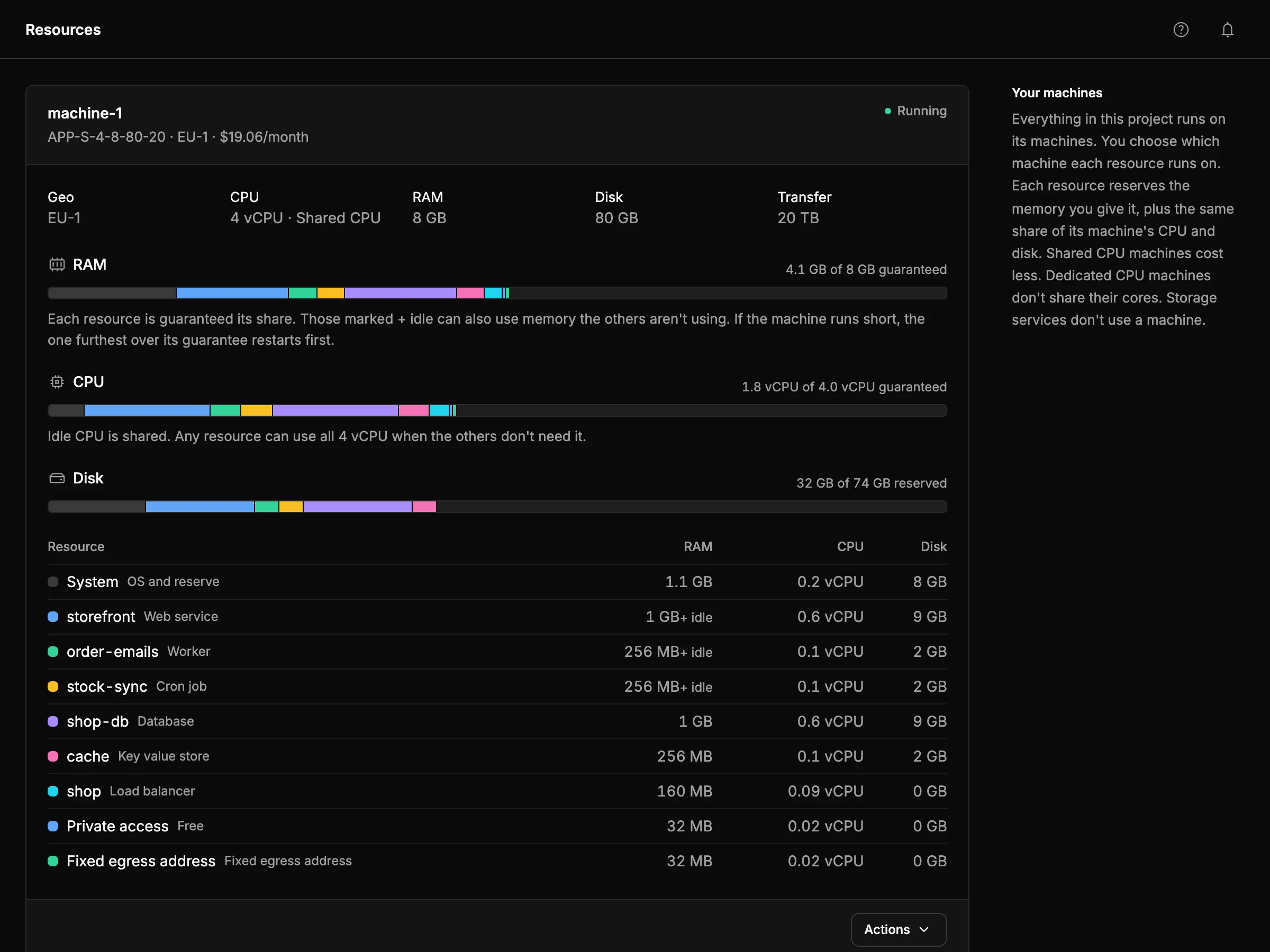
Run web services, workers, cron jobs, Postgres and Redis side by side on one machine. Give each one the memory it needs, and CPU and disk follow. Rebalance whenever your traffic changes.
Platform
From git push to a running app.
Deploy
Push to deploy
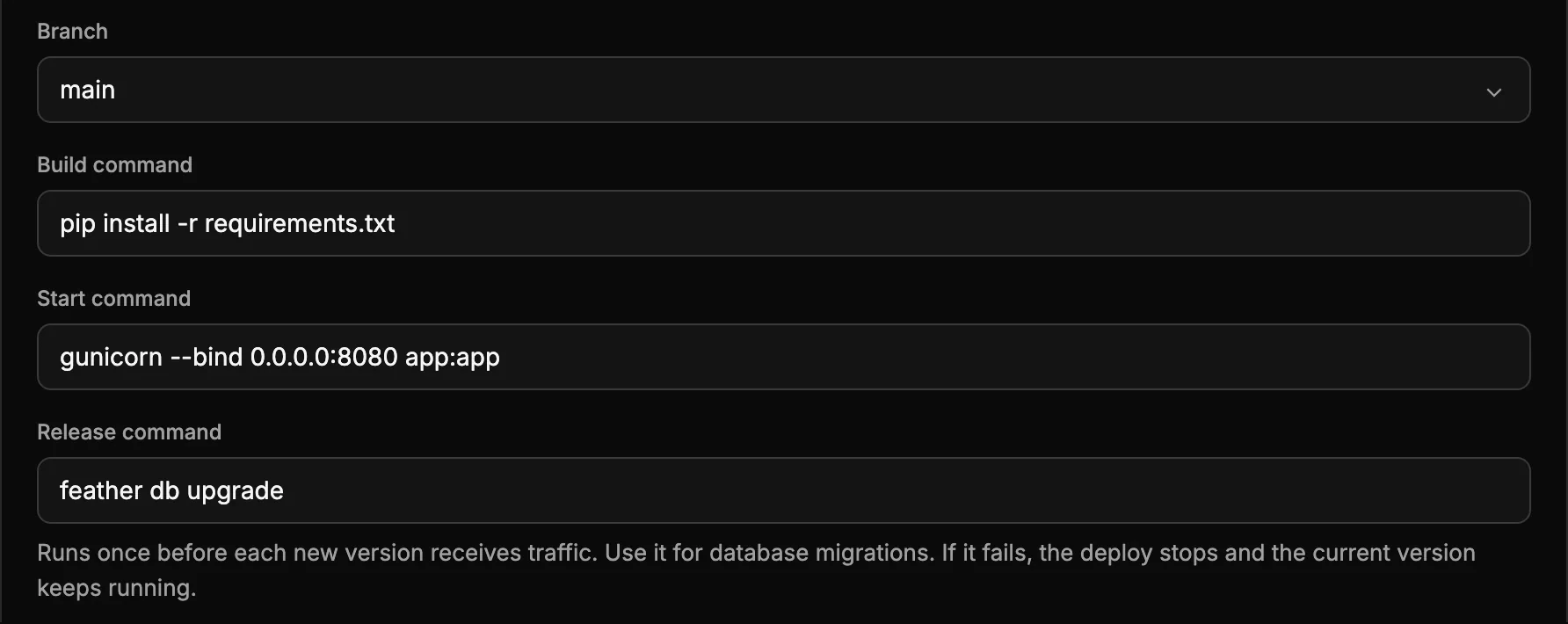
Connect a GitHub repository and pick a branch. Appentic builds your Dockerfile, or writes one for Python, Node, Go, Ruby or Rust, and deploys every push. Your release command runs before the new version takes traffic.
Machines
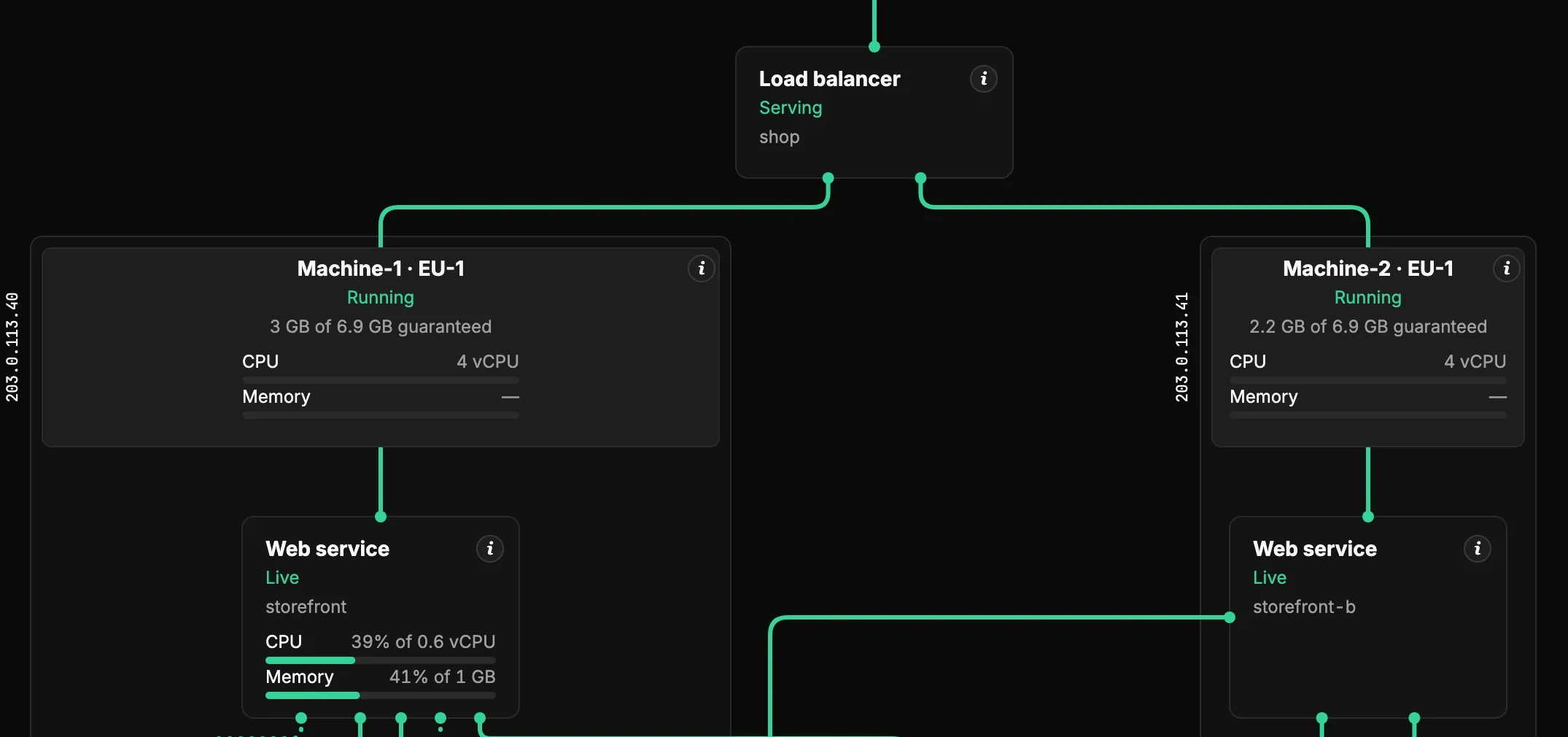
Several machines, one project
Add machines in the EU, US and APAC to the same project. Put a load balancer in front of web services on different machines. Services in different zones connect over the project's own encrypted tunnel.
Data
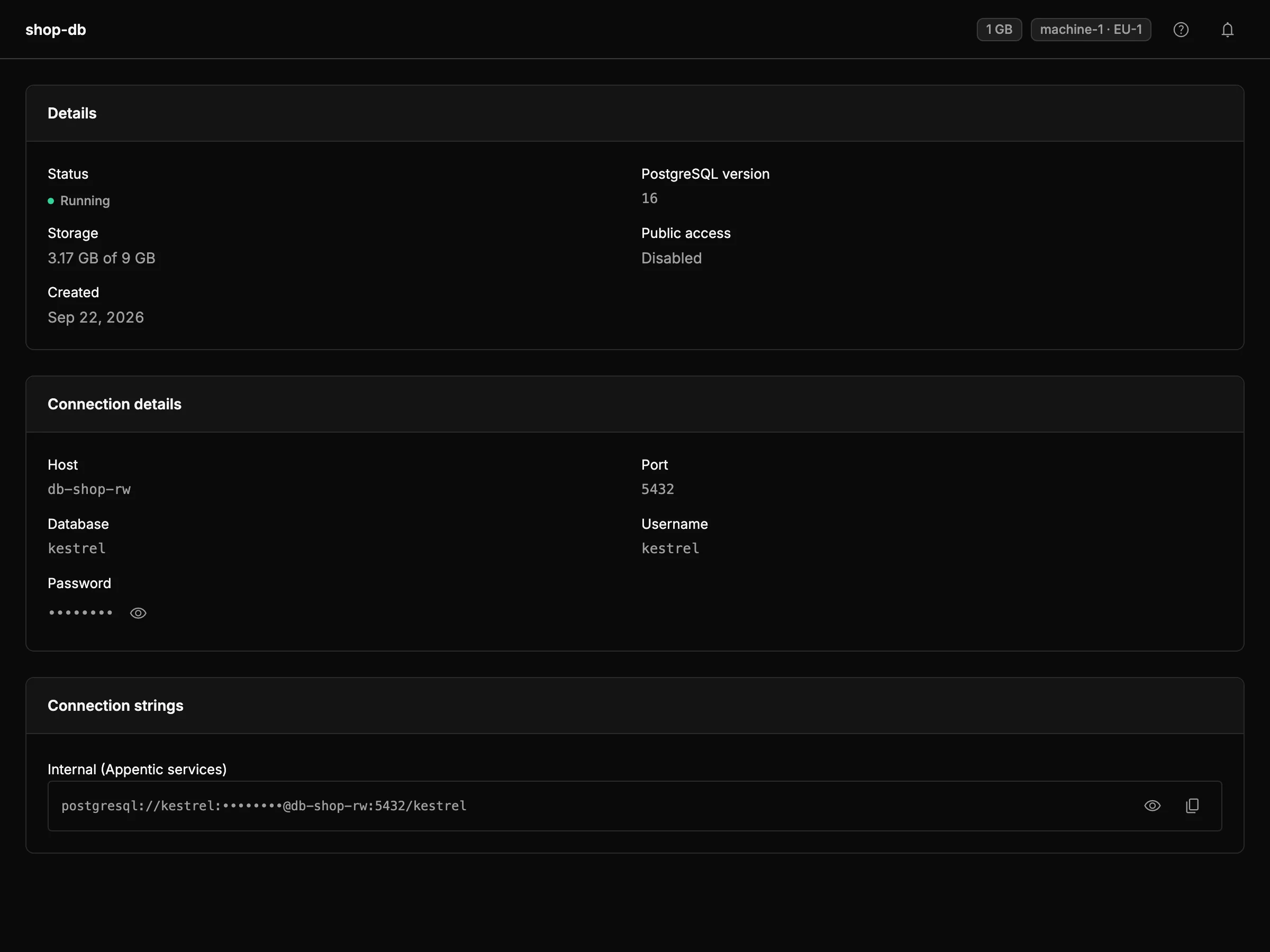
Postgres, Redis and storage
Postgres 16, Redis 7 and S3-compatible buckets, next to your code. Turn on backups for 7 days of point-in-time restore. Add a standby on a second machine and it takes over if the first goes down.
Config
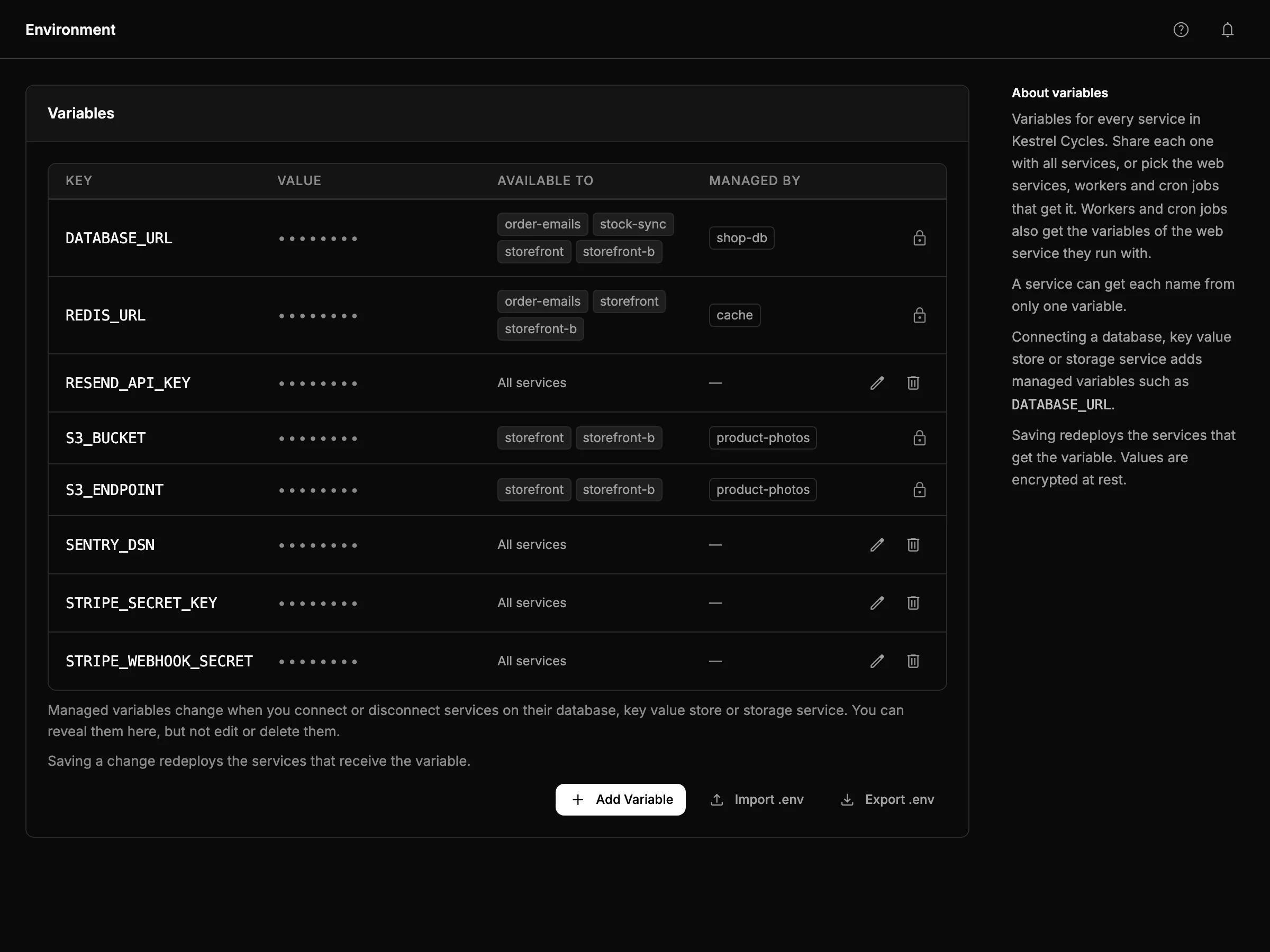
Environment variables
Set a variable for the whole project or for chosen services. Values are encrypted with the project's own key. Only the workspace owner can reveal one.
Domains
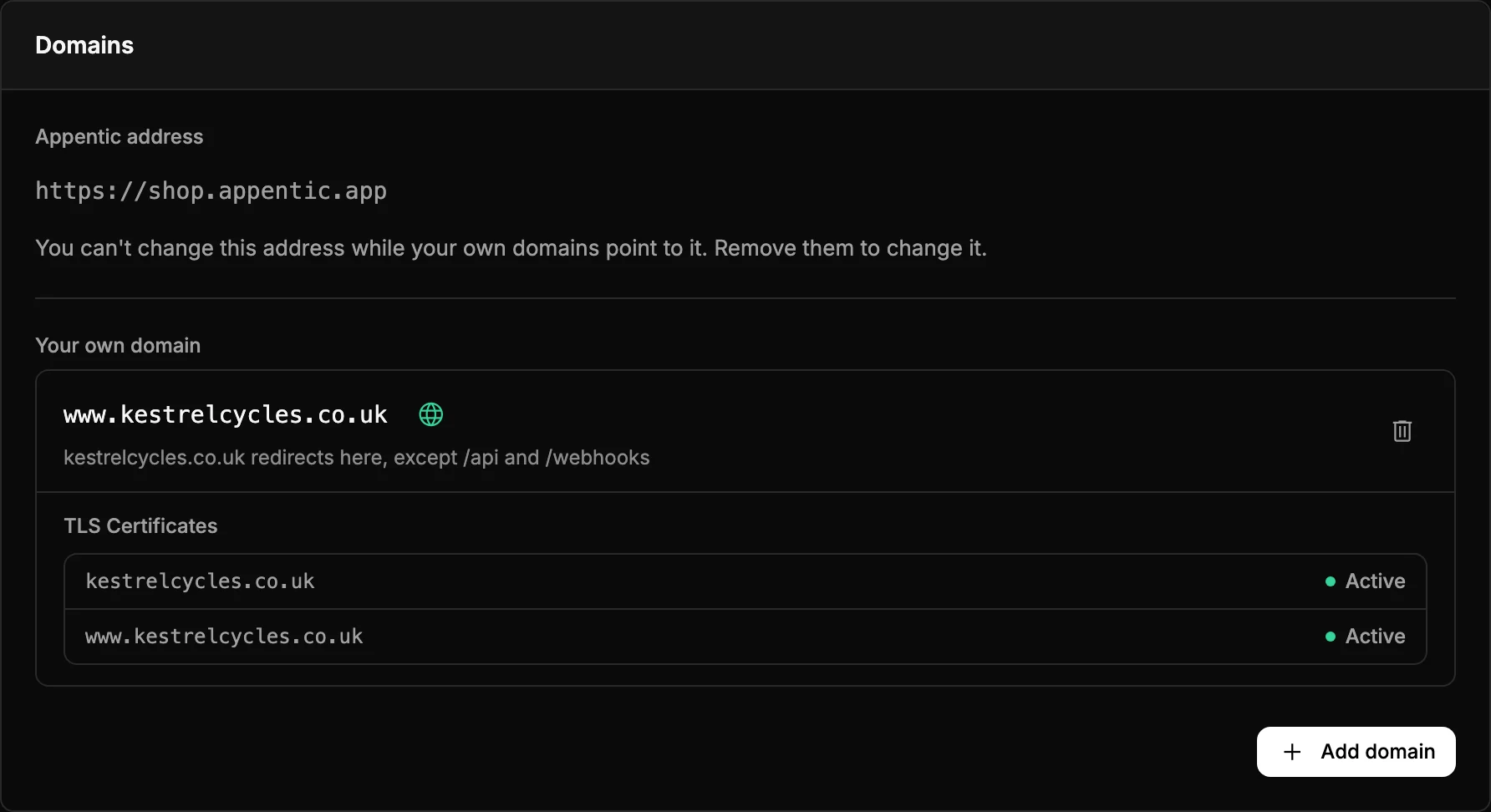
Your domain, with HTTPS
Every web service gets an appentic.app address. Add your own domain with a few DNS records, and the certificate is issued and renewed for you.
Networking and security
Private unless you open it.
Services in a project reach each other at private addresses. Nothing outside the project can reach them until you give it an address or a way in.
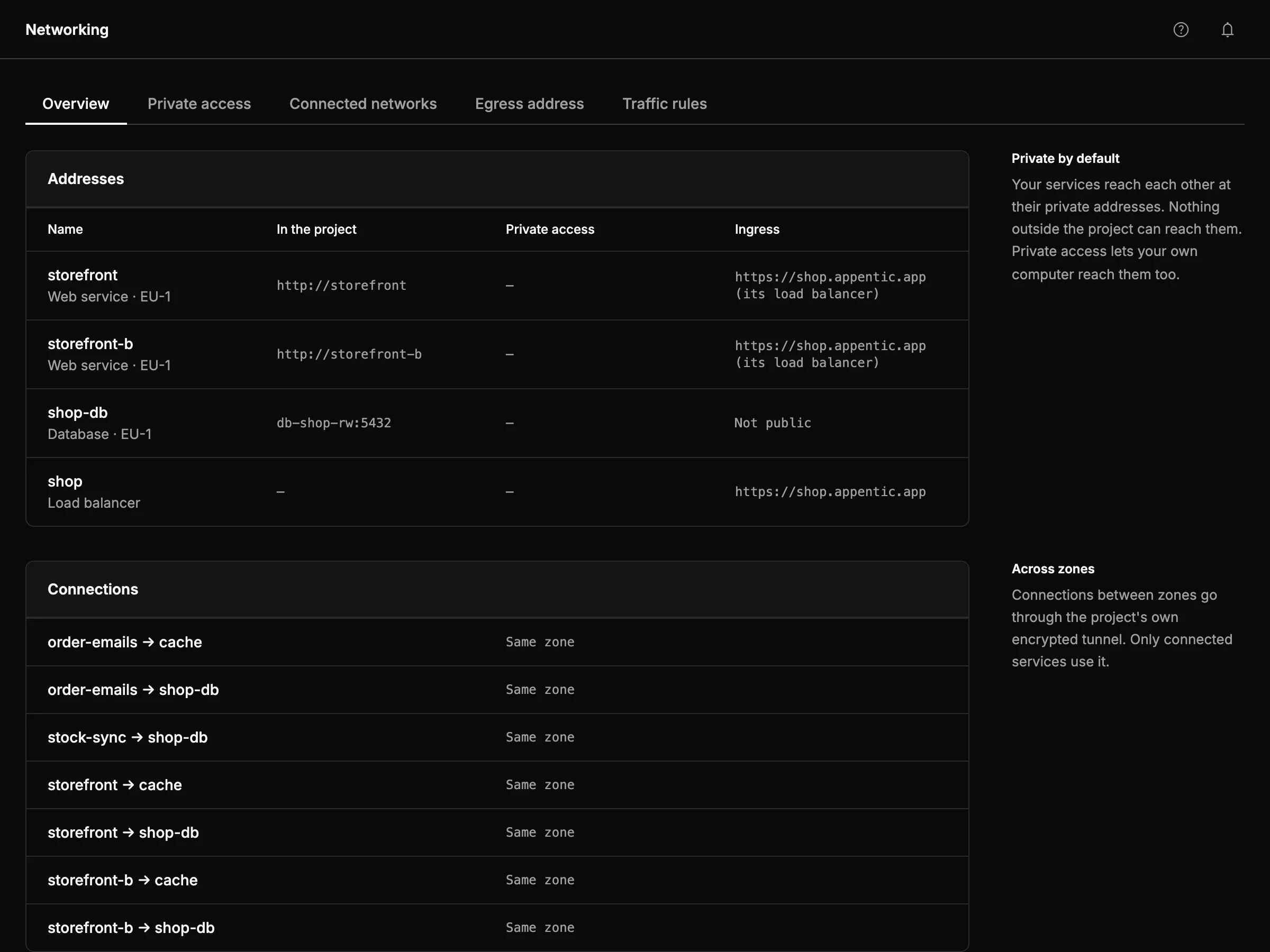
Networking
A private network per project
Reach your database from your laptop over WireGuard. Connect an office or a cloud network. Send outgoing requests from one fixed address a bank or partner can allow. Choose which services can talk to which.
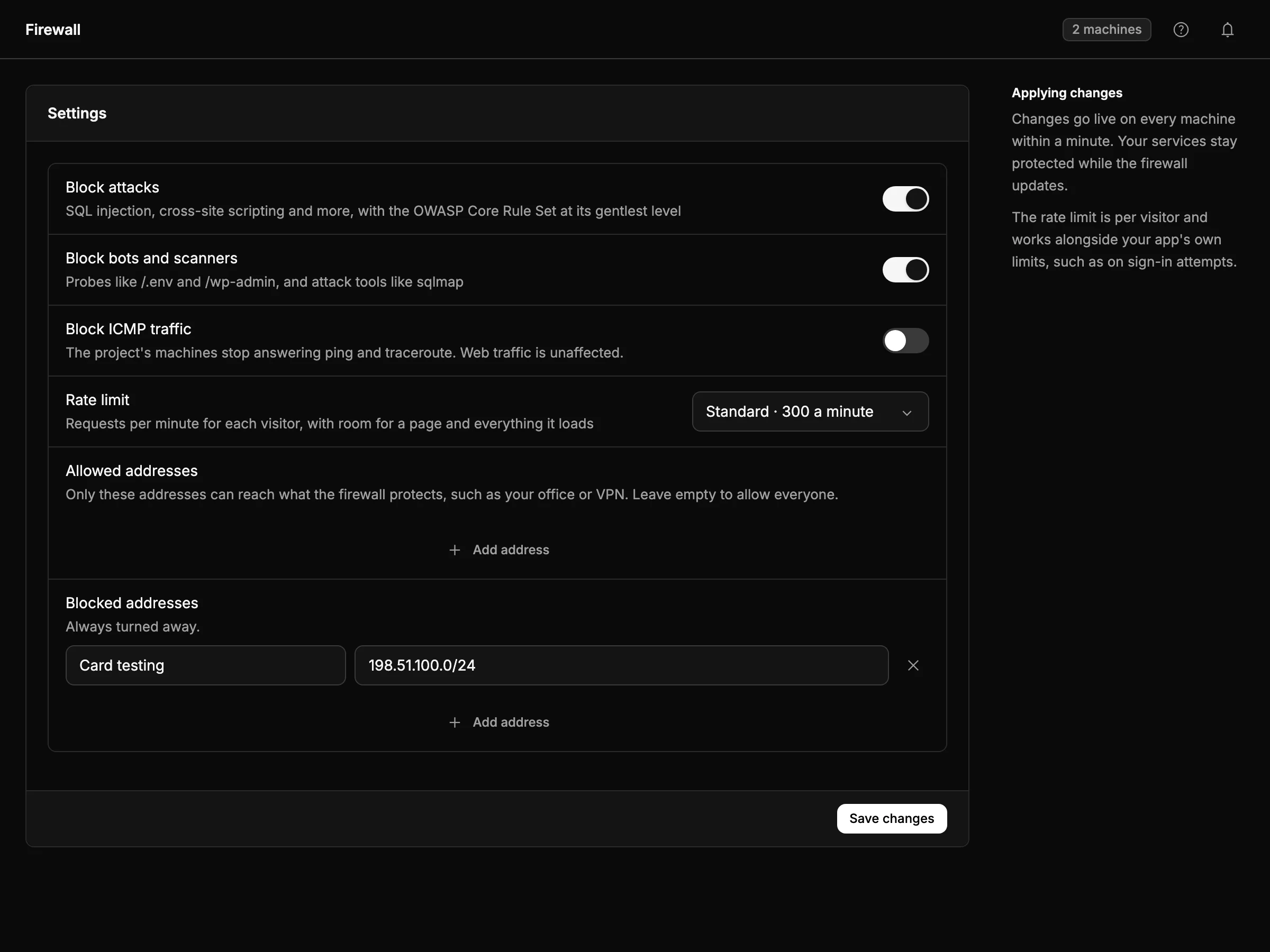
Firewall
Stop attacks before your app sees them
Block SQL injection and cross-site scripting with the OWASP Core Rule Set. Turn away bots and scanners, cap requests per visitor, and allow or block addresses. Put it in front of a web service or a load balancer.
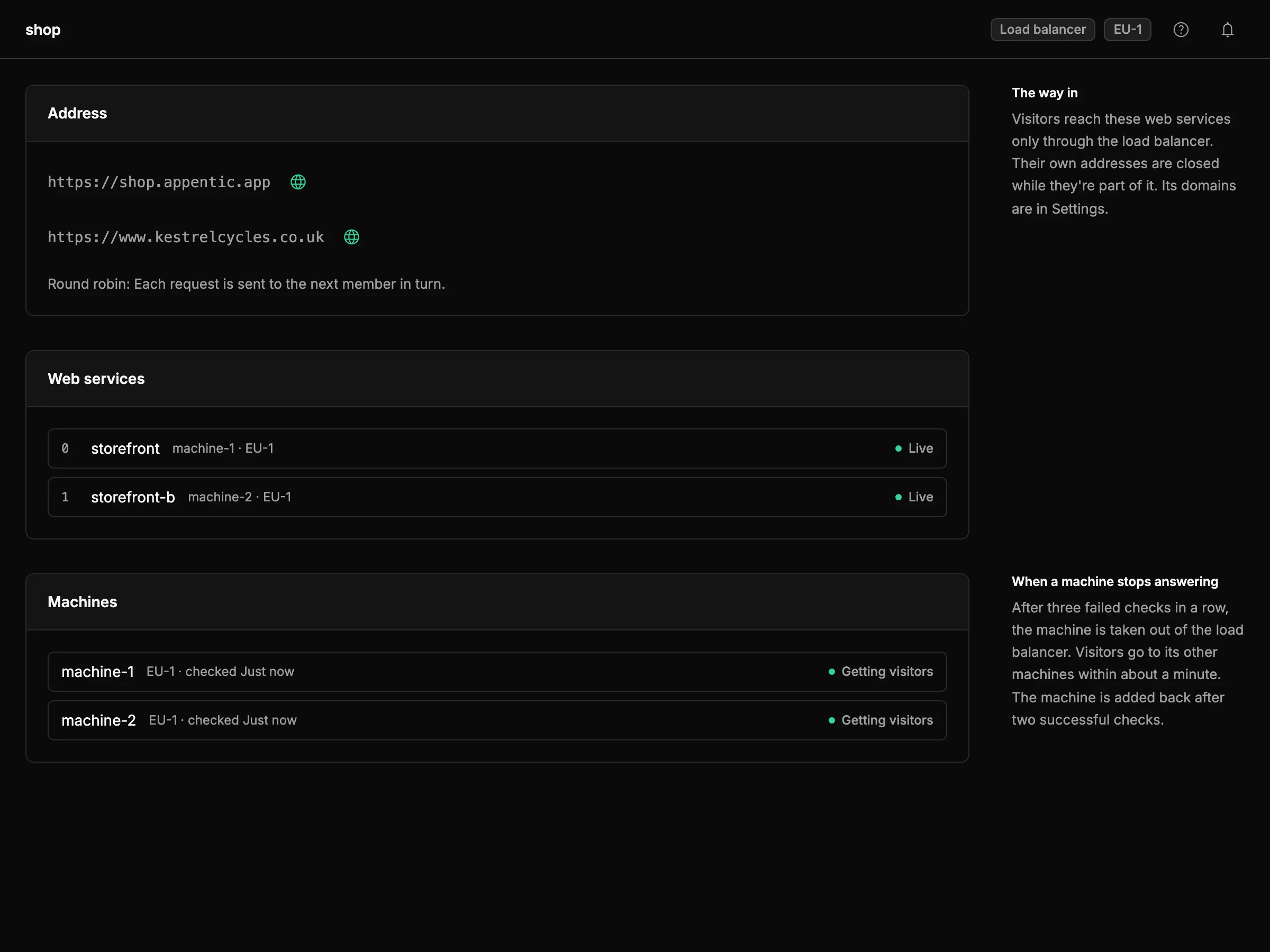
Load balancers
One address, several web services
Spread traffic over web services on one machine or across geos. A member that fails is skipped, and visitors go to the others. Pick round robin, weighted, two random choices or priority failover.
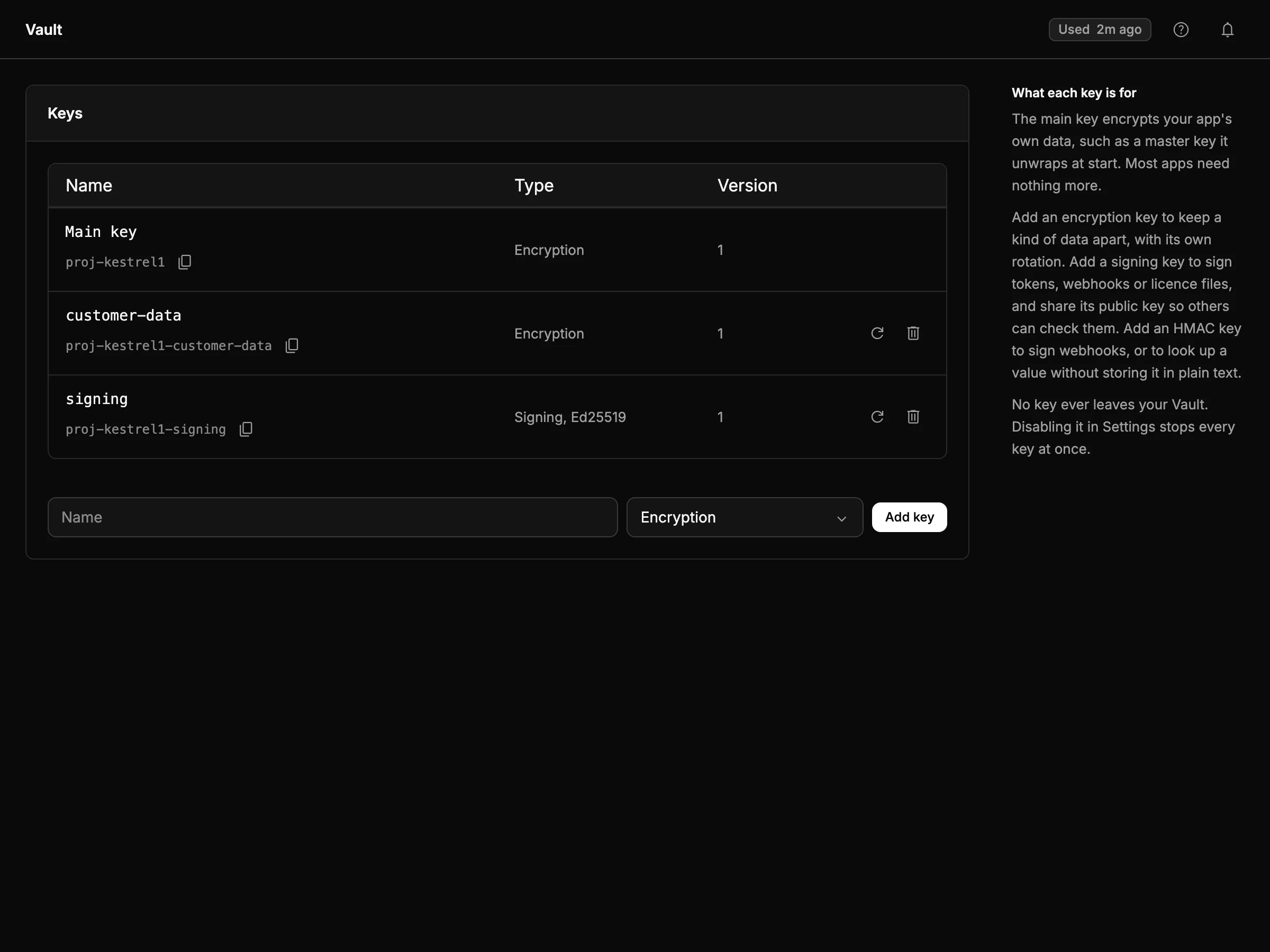
Vault
Keys nobody can copy
Encrypt and sign with keys that never leave the Vault, not even for Appentic. Store API keys as secrets that only the services you choose can read.
Operations
See what your app is doing.
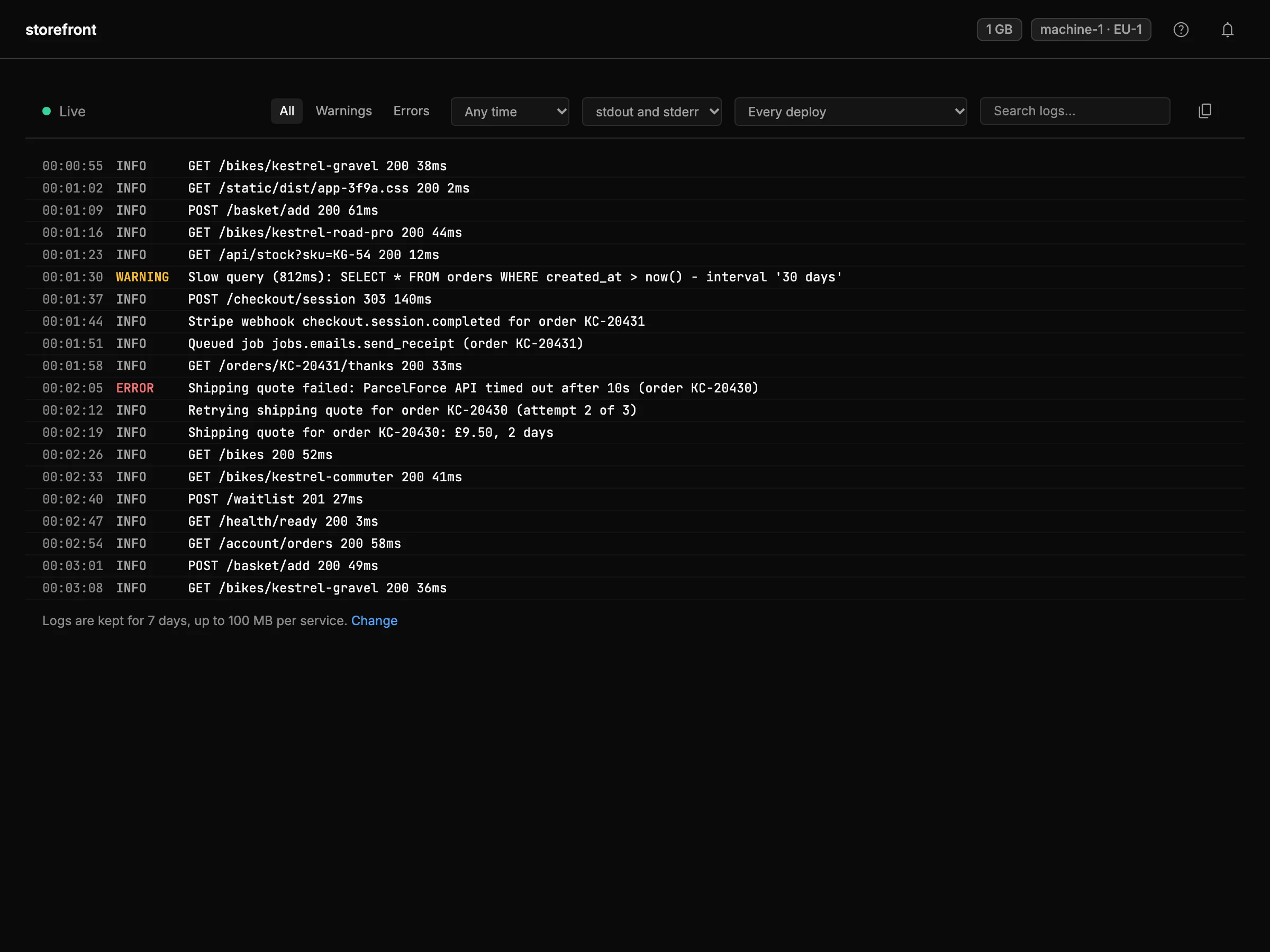
Logs
Logs you can search
Every service's logs are kept for 7 days, or up to 30 if you choose. Filter by level, time or deploy, and search the text. Your agent can query them with SQL over MCP.
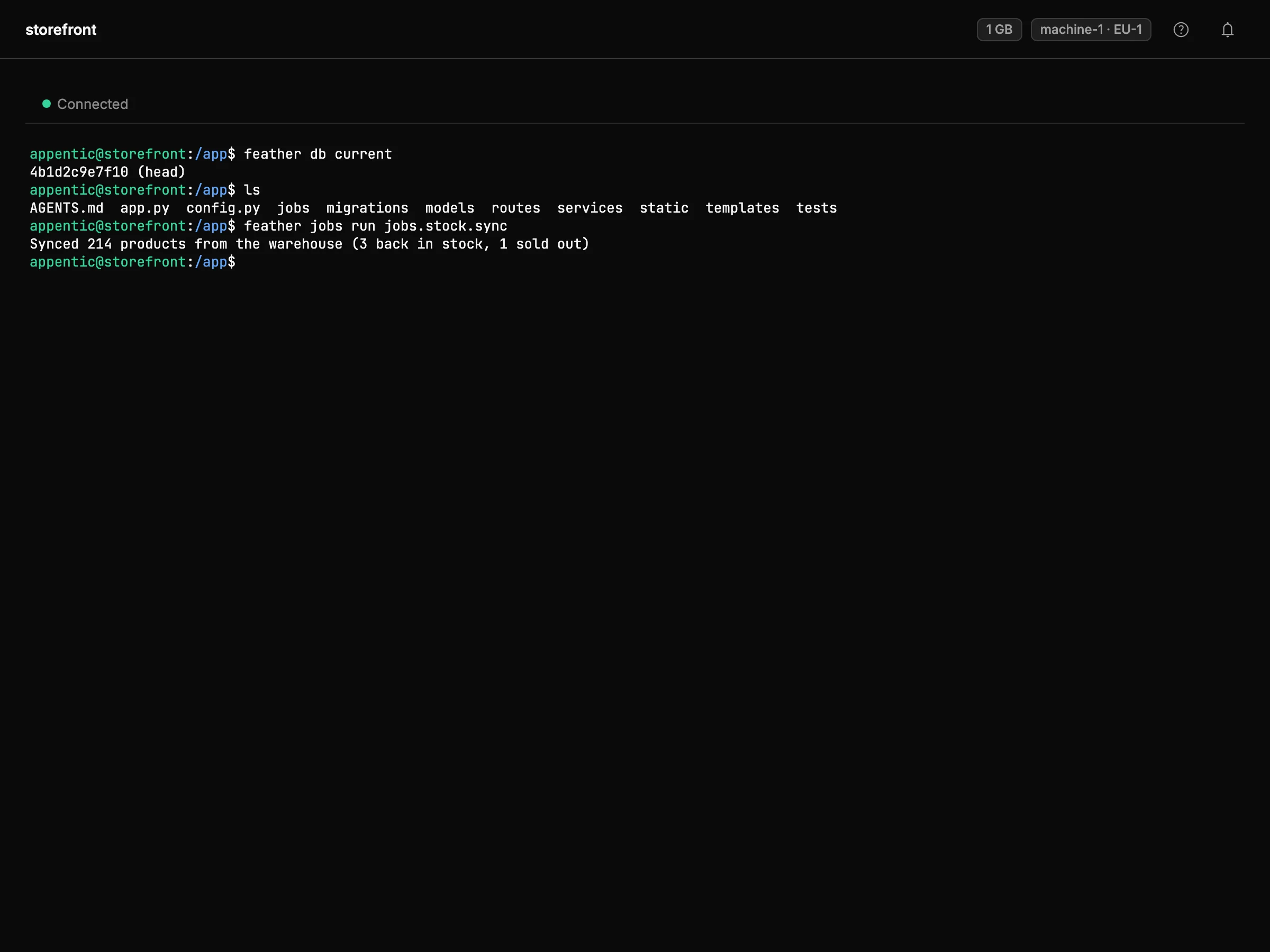
Shell
A terminal in the browser
Open a shell in a running web service to check a file or run a one-off command. Changes are lost on the next deploy or restart.
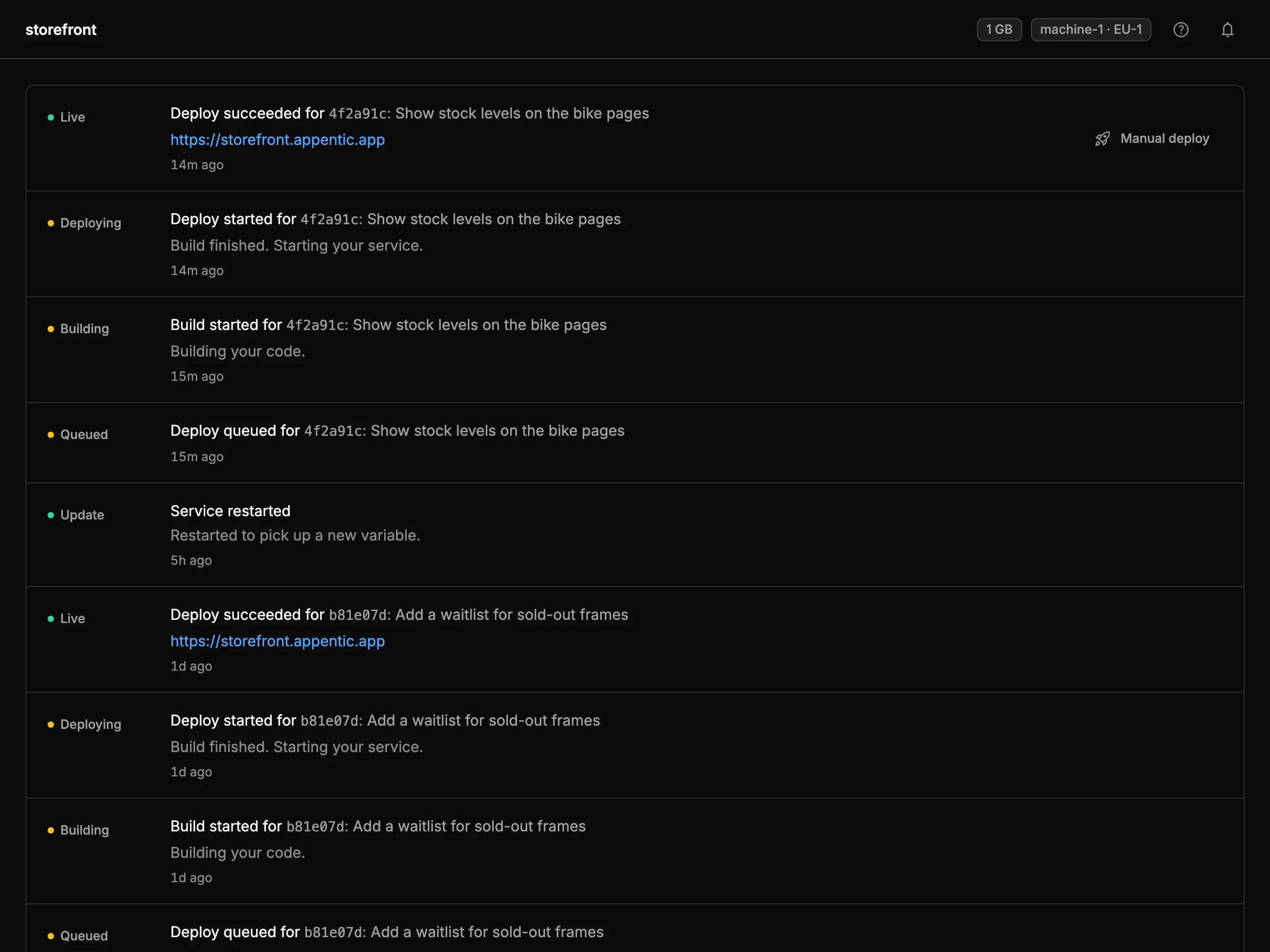
History
Every deploy on record
Builds, deploys and restarts appear on the service's timeline. Roll back to an earlier deploy from there.
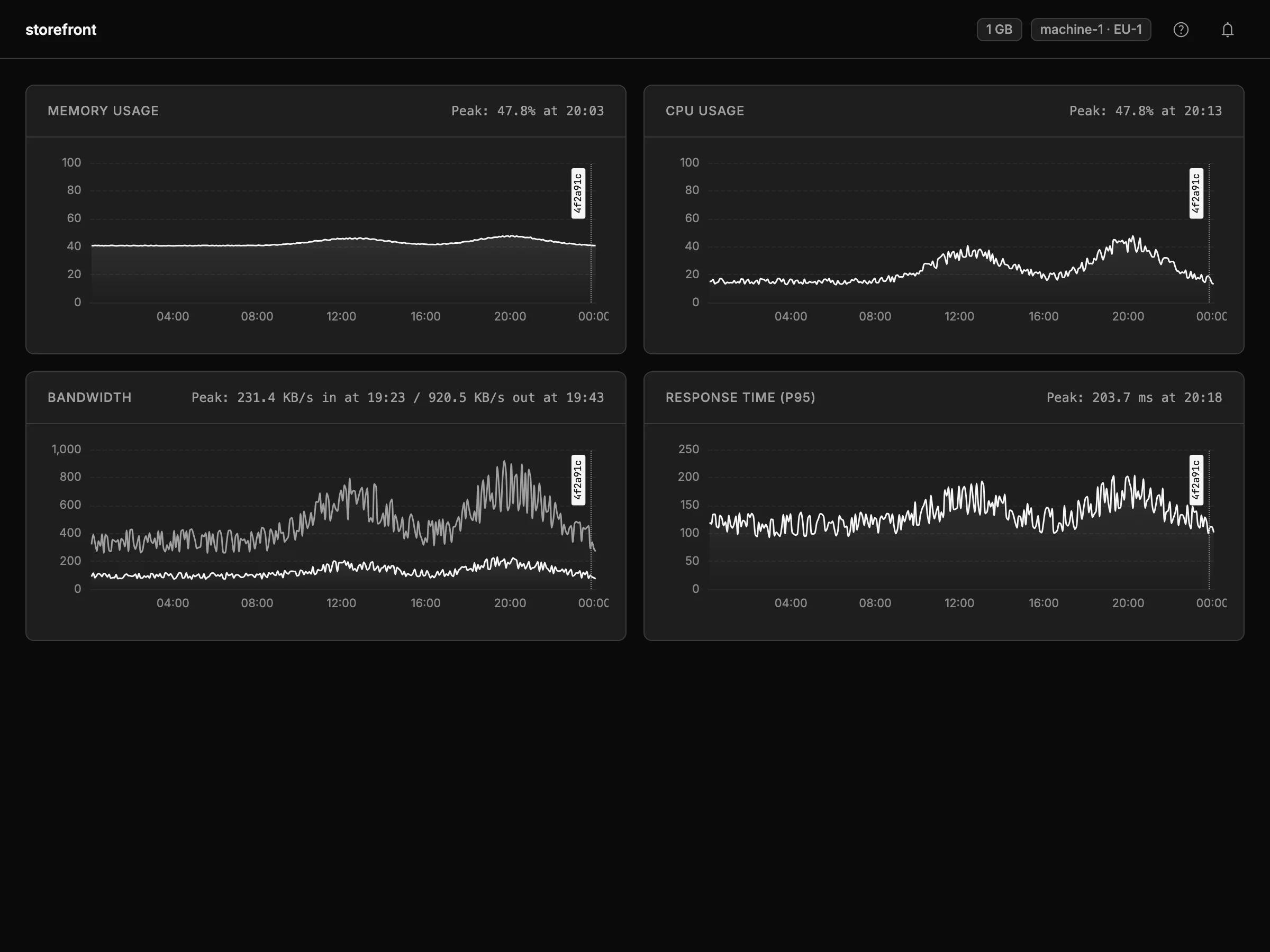
Metrics
Metrics included
CPU, memory, bandwidth and p95 response time for each web service over the last 24 hours. Databases and stores show CPU and memory.